Image Editing and Background Replacement Workflow
A two-step workflow demonstrating how to use Nano Banana Pro for image editing. The first prompt replaces a person in an image with a person from a second image while maintaining the pose. The second prompt uses the resulting image as input to change the background location and adjust lighting and perspective accordingly.
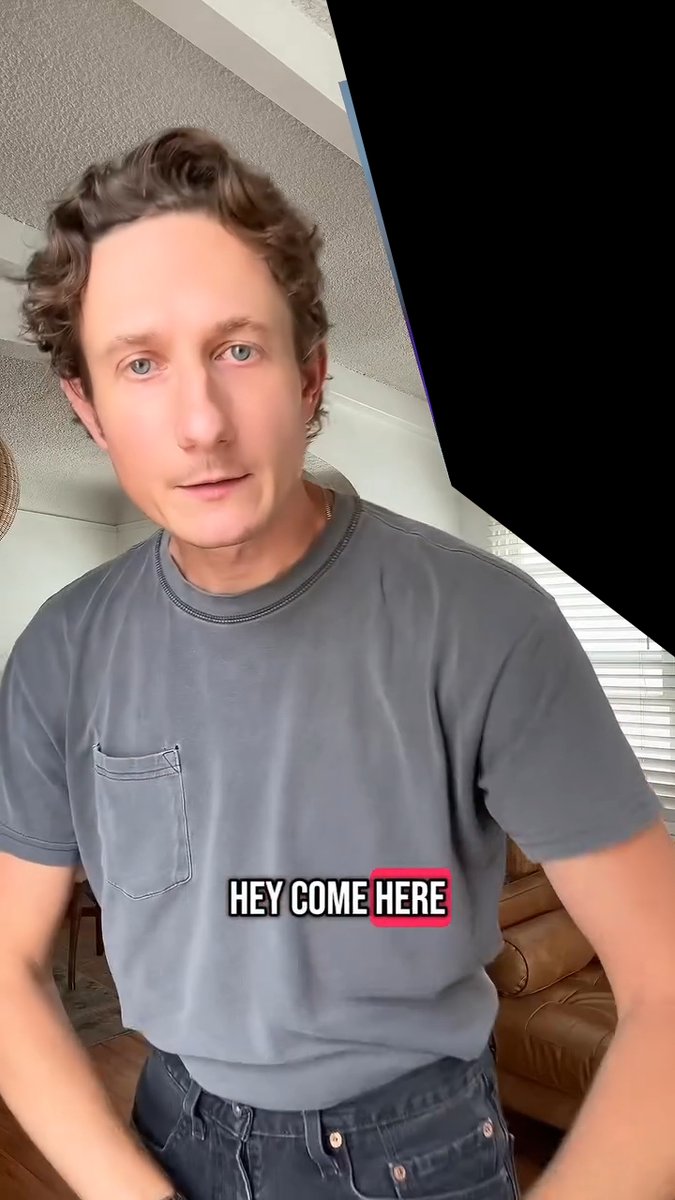


Prompt
Replace the grey shirt man in image 1 with the orange sweater man from image 2. Match the exact pose from image 1 Remove the caption text "HEY COME HERE" Remove the black from the top right corner

While maintaining the exact pose, change the location in the background to on an empty new orleans street sidewalk. The POV is from someone seated looking upward so match the background perspective accordingly Adjust the lighting on the man to match the new scene.
Prompt source
- Author
- A.I.Warper
- Updated
- Mar 5, 2026
- Source
- X Post
License
CC BY 4.0. Prompt pages keep the original attribution and source links from the upstream gallery records stored in the database.
Related prompts

Wacky flowchart for toasting bread
A fun prompt to generate a wildly overcomplicated flowchart explaining how to toast bread, ideal for humorous instructional posters.
Ethan Mollick
Space shuttle diagram in space
Generates a diagram-style image of a space shuttle in outer space, useful for educational or illustrative content.
Nano Banana Pro
Product photo with item placed on a stone
A simple product photography prompt placing the subject neatly on top of a stone for clean, minimalistic 4K product shots.
Azer Koçulu

Bosch-inspired Harrowing of Hell follower scene
An art-history-inspired prompt to generate a scene in the style of a follower of Jheronimus Bosch depicting Christ in Limbo, the Harrowing of Hell.
@levelsio